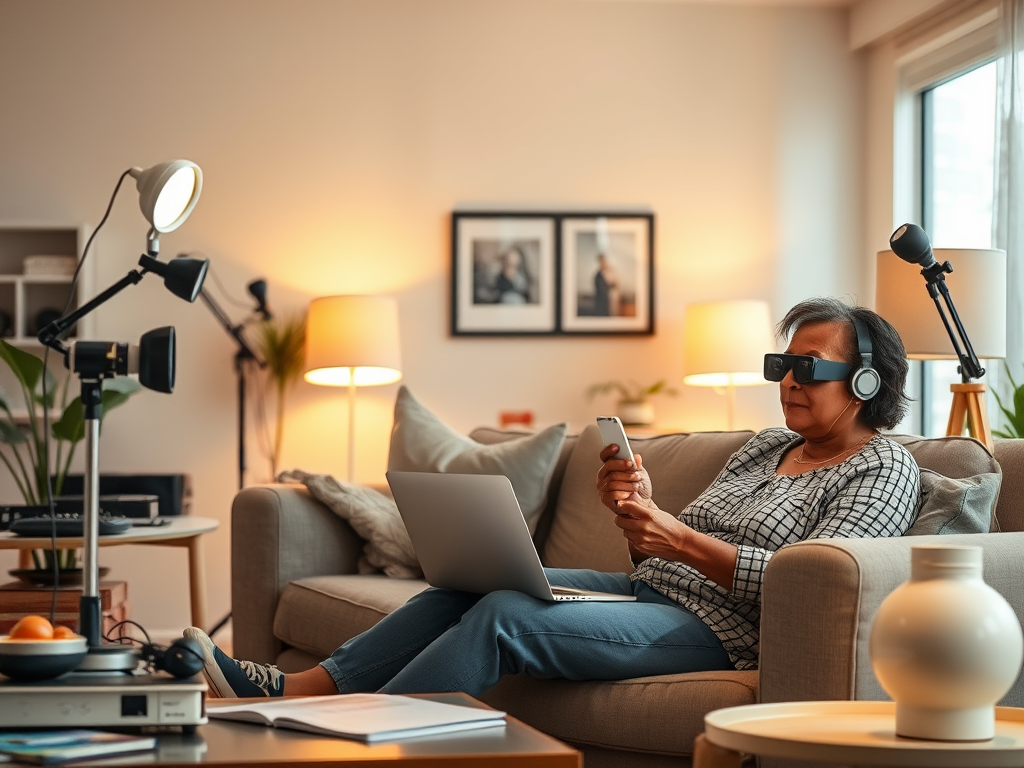
Discover effective strategies for managing low vision, including assistive devices, home modifications, daily living tips, and professional support. Learn how to improve independence, safety, and quality of life with the right tools and resources.
If you have low vision, you can improve daily life by using assistive devices, making home modifications, and accessing vision rehabilitation resources to maintain independence and safety.
👓 Practical Strategies for Living with Low Vision
1. Assistive Devices
- Magnifiers: Handheld, stand, or electronic magnifiers help with reading small print American Academy of Ophthalmology.
- Screen readers & text-to-speech software: Converts digital text into spoken words.
- Large-print materials: Books, calendars, and labels with bold, high-contrast fonts.
- Smartphone accessibility features: VoiceOver (Apple), TalkBack (Android), zoom functions, and high-contrast modes.
2. Home Modifications
- Improve lighting: Use bright, adjustable lamps and task lighting in key areas Barnet Dulaney Perkins Eye Center.
- Reduce hazards: Remove clutter, secure rugs, and mark stairs with contrasting tape.
- Organize consistently: Keep items in designated places to avoid searching.
- Use contrast: Dark cutting boards for light foods, white plates for darker foods.
- Labeling systems: Tactile or large-print labels for medications, appliances, and switches.
3. Daily Living Tips
- Bold markers: Write notes with thick pens for easier visibility Spectrios Institute for Low Vision.
- Voice assistants: Alexa, Siri, or Google Assistant can set reminders, read messages, and control smart devices.
- Cooking adaptations: Use talking kitchen scales, measuring cups with tactile markings, and timers with audio alerts.
- Money identification: Apps or tactile markers help distinguish currency.
4. Professional Support
- Vision rehabilitation specialists: Teach adaptive techniques for reading, mobility, and self-care American Academy of Ophthalmology.
- Occupational therapists: Provide personalized strategies for daily tasks Spectrios Institute for Low Vision.
- Support groups: Offer emotional support and practical advice from others with similar experiences.
🛡️ Risks & Challenges
- Falls and injuries: Low vision increases risk of accidents at home; safety modifications are essential.
- Isolation: Difficulty in communication or mobility can lead to social withdrawal—support networks help.
- Technology barriers: Some devices may be costly or require training to use effectively.
📊 Quick Comparison of Helpful Approaches
| Approach | Benefits | Challenges |
|---|---|---|
| Assistive devices | Improve reading, mobility, independence | Cost, learning curve |
| Home modifications | Safer environment, easier navigation | Requires effort & consistency |
| Professional support | Tailored strategies, emotional support | Access may be limited in some areas |
| Tech solutions | Convenience, accessibility | May need training, internet access |
✅ Key takeaway: With the right combination of assistive technology, home adjustments, and professional guidance, people with low vision can maintain independence, safety, and quality of life.
Would you like me to create a step-by-step checklist of daily routines adapted for low vision (like cooking, reading, and moving around safely)?
Sources: American Academy of Ophthalmology Spectrios Institute for Low Vision Barnet Dulaney Perkins Eye Center
Written by Copilot
Interesting read,
Devices and Tech to Help You See With Low Vision
Helping with low vision is about maximizing remaining sight, adapting the environment, and utilizing the right tools and strategies. It’s a combination of magnification, contrast, lighting, and technology.
Here’s a comprehensive guide to ways to help, categorized for clarity:
1. Environmental & Behavioral Adaptations (Low-Tech)
These are often the first and most impactful changes.
- Lighting is Crucial: Use bright, adjustable task lighting (like gooseneck lamps). Reduce glare with curtains, shades, or anti-glare filters on screens. Ensure even lighting throughout a room to avoid dark spots.
- Maximize Contrast: Use dark objects on light backgrounds and vice versa.
- Example: A dark placemat under a white plate, a black marker on white paper, contrasting color tape on stair edges.
- Organize & Declutter: Keep walking paths clear and items in consistent, designated places. Use tactile markers (rubber bands, raised dots) to identify settings on appliances or keys.
- Labeling: Use bold, large-print labels with thick markers. Consider high-contrast, large-number stickers for microwaves, thermostats, etc.
2. Optical & Magnification Devices
These use lenses to enlarge images.
- Handheld Magnifiers: Portable for quick tasks like reading labels.
- Stand Magnifiers: Rest on the page, good for longer reading sessions as they reduce hand fatigue.
- Dome Magnifiers: Provide a wide, bright viewing area.
- Magnifying Reading Glasses: Allow hands-free magnification for near tasks.
- Telescopic Glasses (Spectacle-mounted): For distance vision (e.g., watching TV, seeing street signs).
- Video Magnifiers (CCTVs): Electronic devices that display magnified text/images on a screen. Many offer high contrast (e.g., white on black), text-to-speech, and can freeze an image.
3. Digital & Assistive Technology
Technology is a game-changer for independence.
- Screen Readers: Software that reads text aloud (for computers: JAWS, NVDA; for phones/tablets: VoiceOver (iOS), TalkBack (Android)).
- Screen Magnification Software: Zooms in on portions of a computer screen (ZoomText, built-in Magnifier on Windows/Mac).
- Smartphones & Tablets: Incredibly powerful tools. Use:
- Built-in Accessibility Features: Magnification gestures, font size increase, high contrast modes, and the screen readers mentioned above.
- Camera as Magnifier: Use the video camera to magnify mail, menus, or signs in real-time (iOS has a Magnifier app; Android has Lookout or similar).
- Apps: Look for money identifiers, color detectors, light detectors, and OCR apps that read printed text aloud using the camera.
- E-Readers & Tablets: Allow adjustable font size, style, brightness, and background color (e.g., sepia mode). Kindle and iPad apps are very popular.
- Smart Home Devices: Voice-controlled assistants (Amazon Alexa, Google Home) can manage lists, read audiobooks, control lights, and identify items with minimal screen interaction.
4. Daily Living Aids (Low Vision Products)
Specialized products designed for specific tasks.
- Reading: Large-print books, books on tape from the National Library Service, bold-line paper, typoscopes (reading guides).
- Writing: Bold-tip pens, signature guides, high-contrast keyboards.
- Time & Management: Talking watches/clocks, talking scales and thermometers, large-number phones.
- Personal Care: Talking blood glucose/pressure monitors, medication organizers with large print or tactile markers, liquid level indicators (beep when a cup is full).
- Recreation & Mobility: Large-print playing cards, audio-described movies/TV, canes for detecting obstacles (not for navigation).
5. Professional Support & Rehabilitation
Essential for a holistic approach.
- Low Vision Specialist: An optometrist or ophthalmologist who specializes in low vision. They do not just prescribe glasses; they evaluate functional vision and prescribe the right combination of optical devices and strategies for specific tasks.
- Vision Rehabilitation Therapist (VRT): Teaches adaptive independent living skills, from cooking to personal finance.
- Orientation & Mobility (O&M) Specialist: Teaches safe travel techniques, which may include using a long white cane or electronic travel aids.
- Occupational Therapist (OT): Focuses on adapting daily activities and the home environment.
How to Help Someone with Low Vision (For Family & Friends)
- Ask First: Don’t assume help is needed. Ask, “Would you like some help reading that menu?”
- Identify Yourself: Always say who you are when approaching.
- Be Specific with Directions: Instead of “It’s over there,” say “The book is on the table, about two steps to your right.”
- Use Descriptive Language: It’s okay to use words like “see” and “look.” Describe things clearly.
- Respect Independence: The goal is to empower, not to do everything for them.
Key First Steps:
- See a Low Vision Specialist. This is the most important step for a tailored plan.
- Get a Comprehensive Eye Exam to treat any underlying conditions and ensure the best corrected vision.
- Contact Agencies for the Blind & Visually Impaired (state/local or non-profits like The Lighthouse Guild, American Foundation for the Blind, National Federation of the Blind). They offer resources, training, and support groups.
The most effective approach combines multiple strategies. What works for one task (like a handheld magnifier for a price tag) may be different for another (like screen reading software for using a computer). Patience and a willingness to experiment are key.
Written by Deepseek

Page
- TOP STRATEGIES FOR MANAGING LOW VISION EFFECTIVELY – 25 December 2025
- HOW MUCH SHOULD YOU SPEND ON YOUR GLASSES? – 9 December 2025
- NATURAL VISION CORRECTION: MYTHS VS FACTS – 6 December 2025
- COMMON PROBLEMS OF WEARING GLASSES & EASY SOLUTIONS – 6 December 2025
- BEST FOODS FOR EYE HEALTH:NUTRITION FOR CLEAR VISION – 26 April 2026
- WORST FOOD FOR YOUR EYE HEALTH:WHAT TO AVOID FOR BETTER VISION – 6 December 2025
- COLOUR BLINDNESS CAUSES AND TREATMENTS – 5 December 2025
- WHY IS MY CHILD’S MYOPIA WORSENING ? CAUSES, RISKS & PREVENTION TIPS – 4 December 2025
- PROGRESSIVE MULTI FOCALS VS BIFOCAL LENSES | WHICH IS RIGHT FOR YOU? – 3 December 2025
- HOW HIGH CHOLESTEROL AFFECTS YOUR EYE SIGHT – 29 December 2025
- HOW TO IMPROVE YOUR EYESIGHT NATURALLY | EYE CARE MALAYSIA – 3 December 2025
- “CHILDHOOD MYOPIA | RABUN JAUH KANAK-KANAK– CAUSES & PREVENTION” – 26 April 2026
- “EYE PROBLEMS (MASALAH MATA): WHEN TO SEE A DOCTOR” – 26 April 2026
- RETINAL DETACHMENT: KNOW THE WARNING SIGNS BEFORE IT’S TOO LATE – 4 December 2025
- “EYE FLOATERS: CAUSES, SYMPTOMS, AND WHEN TO SEEK URGENT EYE CARE” – 26 April 2026
- UNDERSTANDING FAR PD VS. NEAR PD: WHY IT MATTERS FOR YOUR GLASSES – 1 December 2025
- WHEN EYE EXAMS DON’T REVEAL ANSWERS:WHAT’S NEXT? – 1 December 2025
- TOP ATTRIBUTES OF A GOOD OPTOMETRIST/OPTICIAN – 1 December 2025
- PROBLEMS WITH CONTACT LENSES – 30 November 2025
- WHAT IS THE PURPOSE OF THE RED-GREEN DUOCHROME TEST? – 30 November 2025
- DIFFERENT TYPES OF CHARTS FOR VISION TESTING – 3 December 2025
- WHAT’S THE DIFFERENCE BETWEEN A VISION SCREENING AND AN EYE EXAM? – 30 November 2025
- HOW MUCH DO YOU KNOW ABOUT GLAUCOMA? – 4 December 2025
- IS THE ANTI BLUE LIGHT LENSES WORTH BUYING? – 8 December 2025
- THE COMMON PROBLEMS OF PROGRESSIVE MULTI FOCALS – 3 December 2025
- CAN WEARING THE WRONG PRESCRIPTION DAMAGE THE EYE? – 4 December 2025
- HOW LONG DO YOU ALLOW YOUR CHILDREN ON THE COMPUTER? – 30 November 2025
- DO COMPUTERS CAUSE DAMAGE TO THE EYES? – 2 December 2025
- DRY EYES WHAT YOU NEED TO KNOW – 2 December 2025
- CAN STRESS INCREASE YOUR EYEGLASS POWER? – 2 December 2025
- THE AUTOREFRACTOR NEW WONDER ACCURATE TOOL – 3 December 2025
- DIABETES AND EYE PROBLEMS THE EVIL TWINS – 4 December 2025
- CHEAP READY MADE GLASSES AFTER EFFECTS ON YOUR EYES – 2 December 2025
- WHO TO SEE OPTHALMOLOGIST OR OPTOMETRIST ? – 26 November 2025
- RETINOSCOPY EYE REFRACTION FOR CHILDREN – 27 November 2025
- EYE TESTS YOU NEED TO KNOW – 27 November 2025
- AGE – RELATED MACULAR DEGENERATION (AMD) IS A COMMON EYE DISEASE – 3 December 2025
- WHY VISIONS DETERIORATE WITH AGE? – 6 December 2025
- INTERESTING FACTS ABOUT GLASSES YOU MIGHT NOT KNOW! – 9 December 2025
- MORNING BLUR! BLUR! LEH! – 27 November 2025
- LASIK-THE RISK, BENEFITS AND THE COMPLICATIONS – 2 December 2025
- NEW GLASSES WEIRD FUNNY ANNOYING – 3 December 2025
- HYPERTENSIONS-WHY YOUR EYES MATTER! – 2 December 2025
- ALL YOU WANTED TO KNOW ABOUT CATARACT SURGERY – 8 December 2025
- HOW OFTEN DO YOU CHECK YOUR EYES? – 5 December 2025
- WHAT IS ASTIGMATISM? CAN IT BE HEALED? – 30 November 2025
- WEAR BETTER NOT WEARING BAD – 2 December 2025
- NEW GLASSES BUT WRONG PRESCRIPTION – 4 December 2025
- “TRUSTY GOOD OLD RELIABLE SHOP” – 26 April 2026
- HOW TO CONTROL MYOPIA PROGRESSION – 27 November 2025
- HOW TO MANAGE LAZY EYE SYNDROME! – 4 December 2025
- STRABISMUS EYE MISALIGNMENT-LAZY EYE SYNDROME – 4 December 2025
- EYE SIGHT POOR AT NIGHT- NIGHT BLINDNESS – 30 November 2025
- UNDERSTANDING YOUR EYEGLASS PRESCRIPTIONS. – 29 November 2025
- JOIN US FOR FREE GOODIES – 29 November 2025
- LOCKSMITH IN BALING – 29 November 2025
- THE MAKING OF THE EYEGLASS FROM THE SELECTION TO COMPLETION. – 29 November 2025
- HOW TO DRIVE TO SYARIKAT CERMIN MATA STARLITE – 29 November 2025
- ABOUT ALL THE POST WRITTEN IN THIS WEB SITE. – 27 November 2025
- HOW TO GET USED TO PROGRESSIVE LENSES. – 3 December 2025
- CHOOSING A SPECTACLE FRAME FOR COMFORT AND STYLE ! – 29 December 2025
- FIND OUR LOCATION IN BALING, KEDAH – 29 November 2025
- HOW TO KNOW YOUR CHILDREN”S EYESIGHT NEED AN EYE CHECK. – 3 December 2025
DISCLAIMER
General Information Disclaimer The information provided on this website is for general informational purposes only. All content is offered in good faith; however, we make no representations or warranties of any kind, express or implied, regarding the accuracy, adequacy, validity, reliability, availability, or completeness of any information on the site.
External Links Disclaimer This website may contain links to other websites or content belonging to or originating from third parties. Such links are provided for convenience only. We do not investigate, monitor, or check these external sites for accuracy, reliability, or completeness.
Professional Disclaimer The information on this site does not constitute professional advice (legal, financial, medical, or otherwise). You should seek professional guidance before taking any action based on the content provided here.
Limitation of Liability Under no circumstances shall we be liable for any loss or damage of any kind incurred as a result of the use of the site or reliance on any information provided. Your use of the site and reliance on any information is solely at your own risk.